- Softonic Rating:
- Very good:8/10
- License:
- Free
- Added:
- June 5, 2008
- Publisher:
- Website
- Expiration Date:
- September 1, 2008
- File size:
- 3.0 MB
- Downloads:
- 11
- DownloadFree
“Subversion client for Mac”
by Cyril Roger
Versions offers an attractive interface to work with Subversion.
Subversion (SVN) is a version control system that allows you to maintain historical versions of all your files. It is very widely used in the open source community and competes directly with the CVS format. The advantage of working with SVN is that it keeps track of all your changes and lets you find previous versions easily.
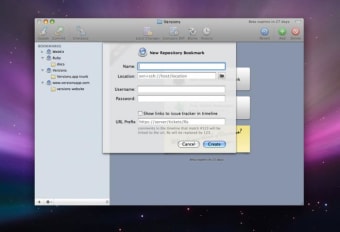
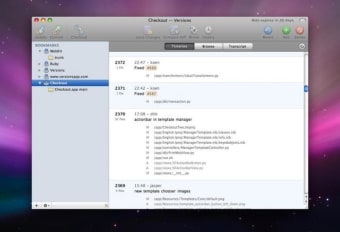
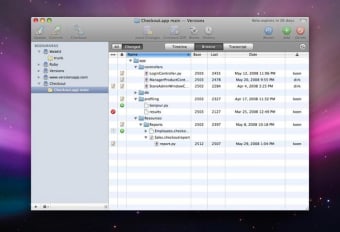
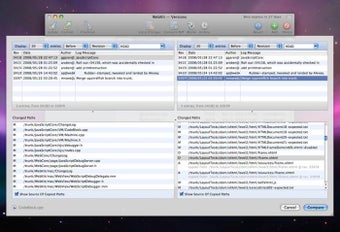
Versions is still in Beta, so it might be a little unstable, but you already see it's looking to be very promising. The application offers three sections: browse, timeline and transcript. You'll start by creating a new online repository in Beanstalk then adding new repository bookmarks. These are always displayed on the left side of the interface, so they're always immediately accessible. You can easily update or commit your changes and Versions lets you quickly compare differences, see local changes and includes a blame/annotate tool.
Versions makes working with Subversions easier than ever. The full release will be highly awaited by many a programmer.
Languages:
English
OS requirements for Versions:
- OS: Mac OS X
Minimum requirements:
- Processor: PPC/Intel MHz
- Mac OS X 10.4.9 or later
- Xcode Tools for FileMerge integration (used to display diffs)
- Nice interface
- Still unstable
Featured program
Softonic gives special recognition to software of exceptionally high quality. More information
From the publisher of Versions
Versions provides a pleasant way to work with Subversion on your Mac. Whether you’re a hardcore Subversion user or new to version control systems, Versions will help streamline your workflow. The beta is out now, so say hello to the fresh new look of your repository and start saying less to that command-line interface.
More Versions screenshots
Posts about Versions in our blog
- Get free versions of popular video games by James Thornton
- 3 ways to open .docx files by Nicholas Mead
- Get to know your Mac's Terminal by Cyril Roger
- Firefox 3 in depth review by Nick Mead and Cyril Roger
- Make Gimp look like Photoshop by Nicholas Mead
Sponsored Links
Programs similar to Versions
Versions options
Your opinion is important!